
Why is my business number being marked as spam?
November 9, 2026
By the VentureTel team · November 2026
A customer is waiting for your estimate. Your office calls back, but their phone says “Spam Likely.” They ignore it. For a business that depends on appointments, service calls or follow-ups, that warning can get in the way of an ordinary conversation.
A business number marked as spam isn't necessarily a sign you've done something wrong. Receiving carriers use screening and analytics systems to assess calls. Recent calling patterns and recipient feedback can influence those decisions, and legitimate calls can be mislabeled. The useful next step is to find out where the warning appears—not assume your number is permanently damaged.
Why is my business number showing “Spam Likely”?
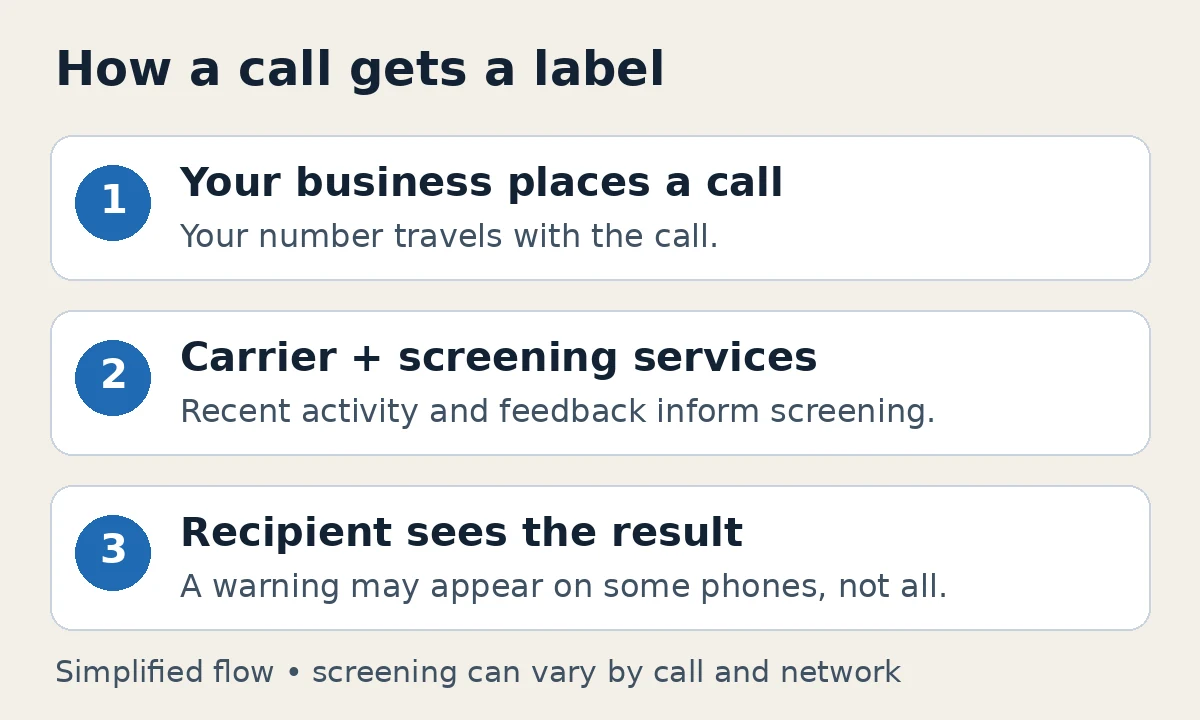
Think of a spam label as a screening decision, not the name assigned to your business. The receiving carrier, its analytics services and the recipient's phone or call-blocking app can affect what appears. There is no single nationwide spam list, so one customer may see a warning while another sees your normal caller ID.
Possible signals include a sudden increase in outbound activity, repeated attempts to reach the same people, and complaints or blocks from recipients. Old contact lists and unexpected calls can create problems even when your business has a legitimate reason to reach someone. Screening rules also change. These are possibilities to investigate, not a diagnosis from the label alone.
“We've had this number for years. Why now?”
Long ownership doesn't exempt a number from recent reputation checks. A familiar number can be evaluated differently as calling activity, recipient feedback or screening systems change. Nor does a label automatically mean your account was compromised.
Start with specific examples. Did the warning appear for several recipients on one carrier, or across different networks? Did it start after a change in your team's outreach? These details are more useful than making extra calls to “build history.” Don't generate artificial calling activity to try to improve a score.
Could someone spoofing our number be involved?
Possibly. A scammer can display your business number on calls made elsewhere. People may report or block those calls, and that activity may contribute to reputation problems associated with your number. But a spam label doesn't prove spoofing caused it.
If people say you called when nobody in your office did, ask your provider to compare the examples with your genuine call records. Outside-network spoofed calls don't travel through your phone system, and your provider cannot prevent every outside caller from impersonating your number. Our business caller ID spoofing article explains the distinction and ways to prepare your team. For practical support steps, see Caller ID Spoofing: Someone Is Using My Business Number.
Signing, reputation and caller name are different things
These three systems are often confused. STIR/SHAKEN helps authenticate caller ID information on supported call paths. Reputation screening assesses whether a call might be unwanted. CNAM supplies the caller name some recipients see. Improving one doesn't automatically fix the others.
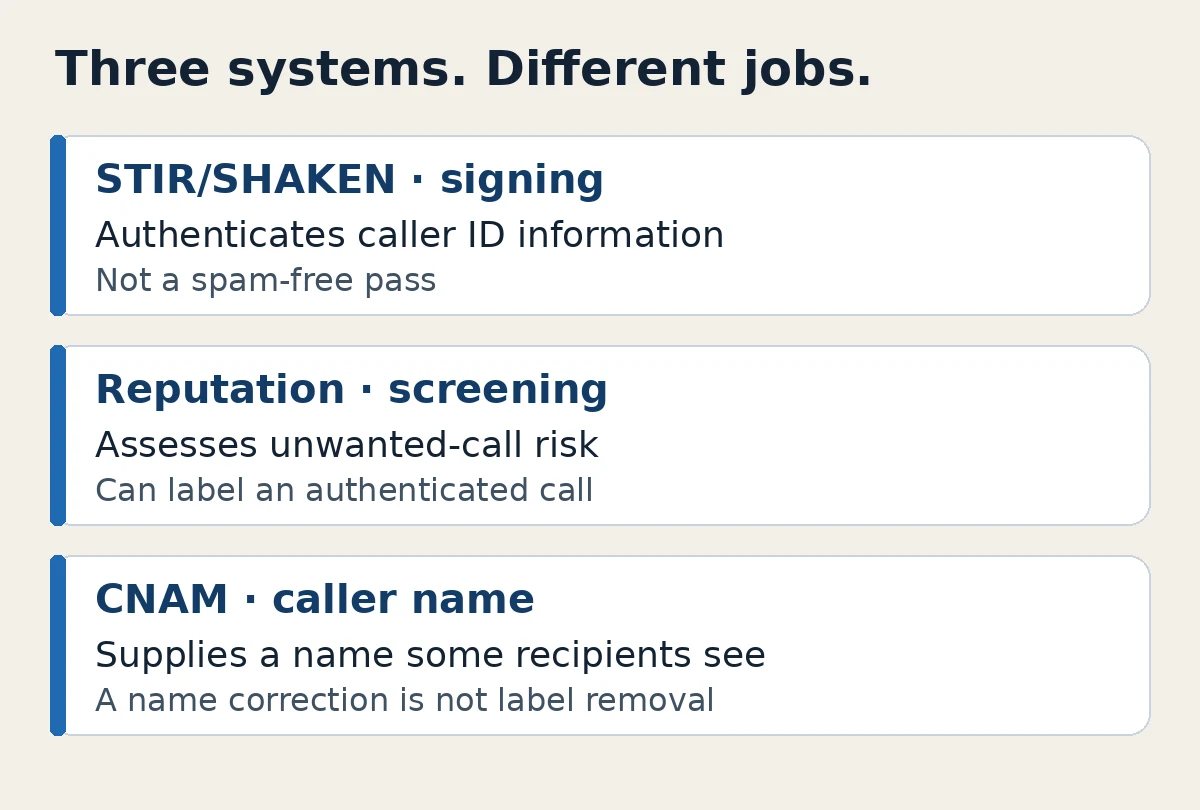
A signed call can still receive a spam label. Signing isn't a spam-free pass or a universal barrier against spoofing. Likewise, correcting your caller name doesn't by itself remove a warning. Read our STIR/SHAKEN explainer and the FCC's caller ID authentication overview for more detail.
What to do when customers report a warning
- Save an example. Record the outbound business number, date, time and time zone, exact warning, and recipient's carrier if known. A screenshot helps. Share customer numbers privately with support, not in a public post.
- Ask your provider to check genuine activity. Compare call records with the reported examples. Unexpected activity in your own account needs investigation; outside spoofing is a different problem.
- Review how you reach people. Identify your business, use an authorized number with a working callback, keep lists current, and avoid repeated attempts in a short period. Honor requests not to call. Work with your advisors on applicable consent and Do Not Call requirements.
- Register and request review where appropriate. Give screening services accurate business information. If a label remains, follow the relevant service's review process. Registration and a label dispute are not always the same step.
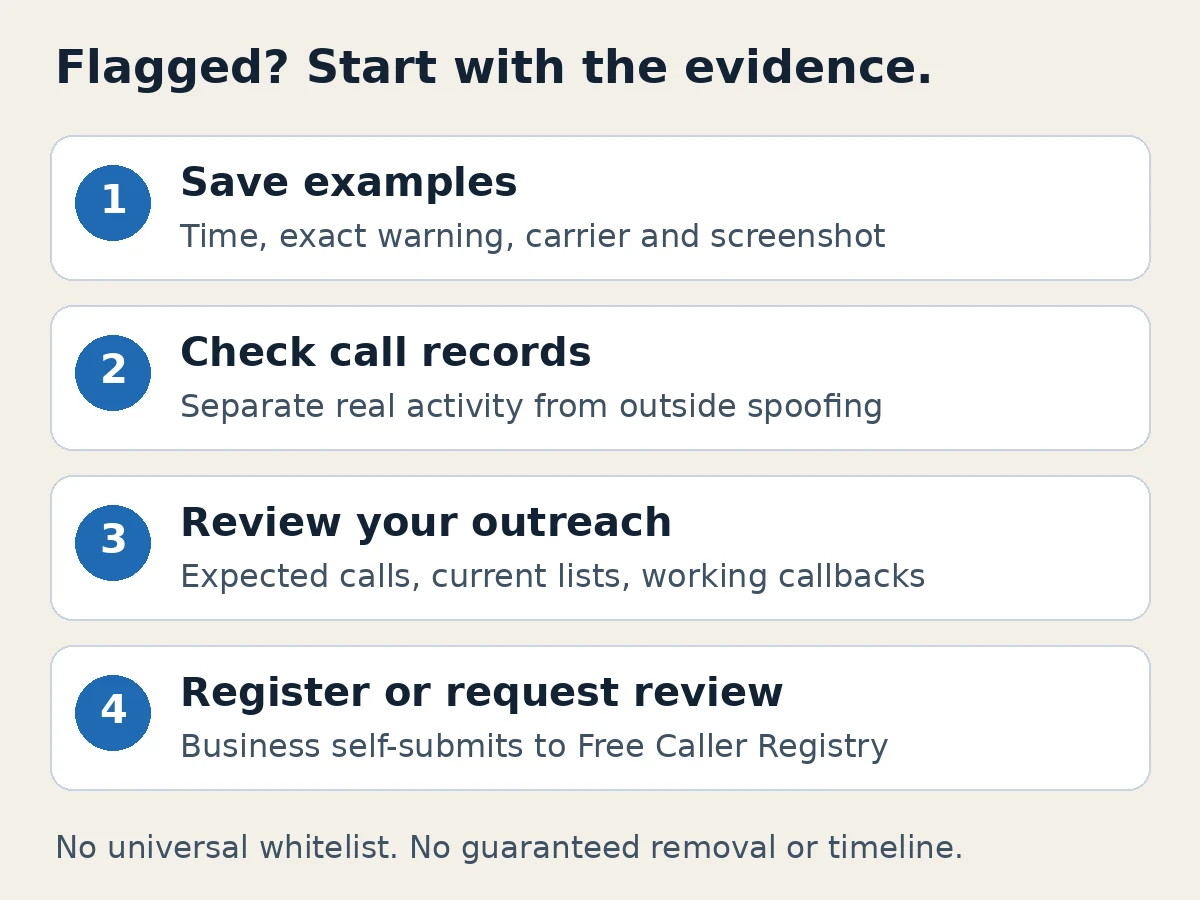
Free Caller Registry is one starting point, but businesses must submit their own numbers through that form; a phone provider can't register clients on their behalf there. Registration supplies context, not a permanent whitelist. Each screening service makes its own decisions, and no submission clears every network.
Our support guide, My phone number is coming up as spam, has the practical registration and dispute links. There is no guaranteed removal or fixed resolution timeline. Changing numbers first may simply exchange one unknown history for another without addressing the underlying issue.
How VentureTel can help
Our team can look at call records, help you organize examples, and walk you through registration and dispute options. We won't promise a result controlled by another carrier or screening service. Your business decides how to adjust its outreach with its own advisors.
VentureTel has served businesses since 2006, and we run our own phone platform. We offer hands-on support for businesses in Twin Falls, southern Idaho, the Magic Valley and Wood River, and serve businesses nationwide.
Need help understanding what your customers see? Contact our team with an example of the warning. We'll help you work out what to check next.
FAQ
Can a legitimate business call show as spam?
Yes. Screening systems can mislabel legitimate calls. A warning alone doesn't prove wrongdoing, spoofing or an account compromise.
Will STIR/SHAKEN remove a spam label?
Not by itself. Caller ID authentication and spam reputation are separate. An authenticated call can still be labeled as spam.
Does registering our number guarantee calls get through?
No. Registration gives screening services business information, but it isn't a universal whitelist or a guarantee of label removal. Businesses must self-submit through Free Caller Registry.