
How fax to email works for a business, and do you still need a fax line?
November 22, 2026
By the VentureTel team · November 2026
Fax to email, also called online fax or eFax, lets a business send and receive faxes as documents, without depending on a dedicated analog fax line. You send a file from email or an app, and it arrives at the recipient's fax number as a fax. Incoming faxes can be received in an app instead of printing on a machine in the corner. Many law offices, medical offices and accounting firms still need to fax because a partner, a court, an insurer or a lab still asks for it. The question is whether you still need a physical fax line to do that.
This guide explains how fax to email works, when a traditional fax machine still has a place, and how VentureTel's own fax service handles sending and receiving.
How fax to email works
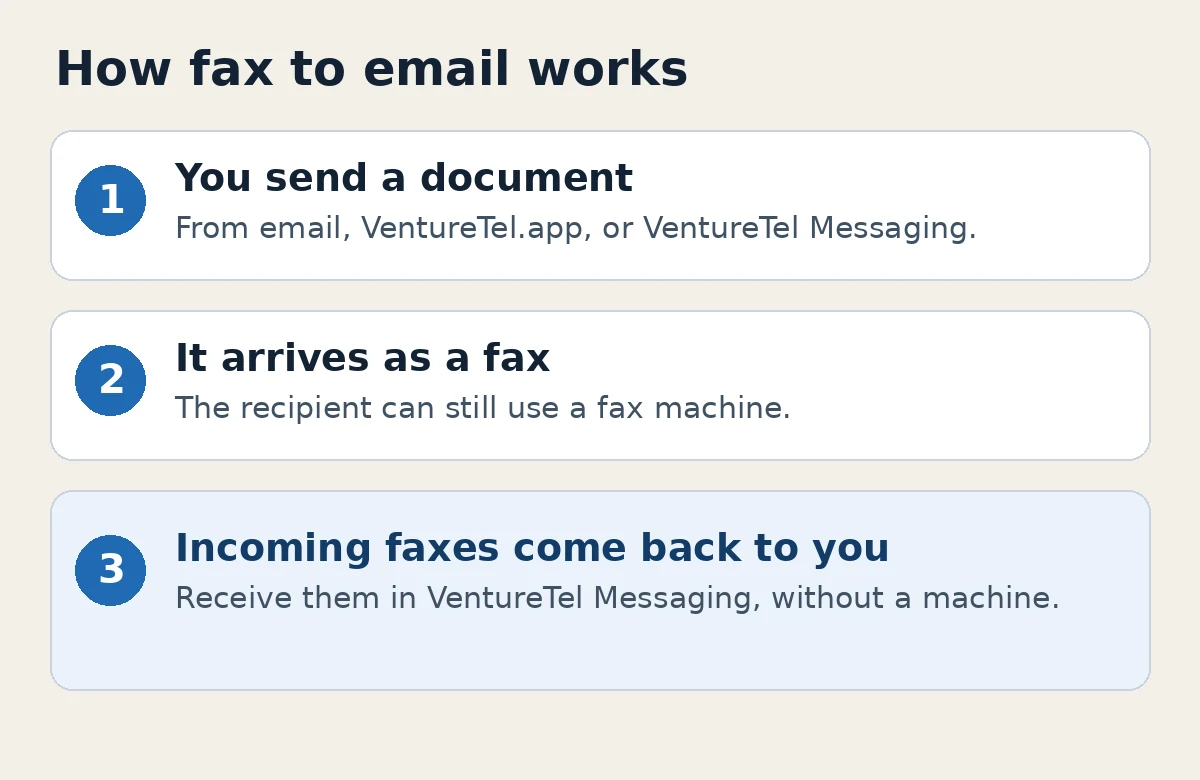
Traditional faxing sends a page over a phone line to another fax machine, which prints it. Fax to email uses the internet for your side of that exchange. The other party can still have a machine. They don't have to change anything for you to reach them.
In practice, sending usually looks like one of these:
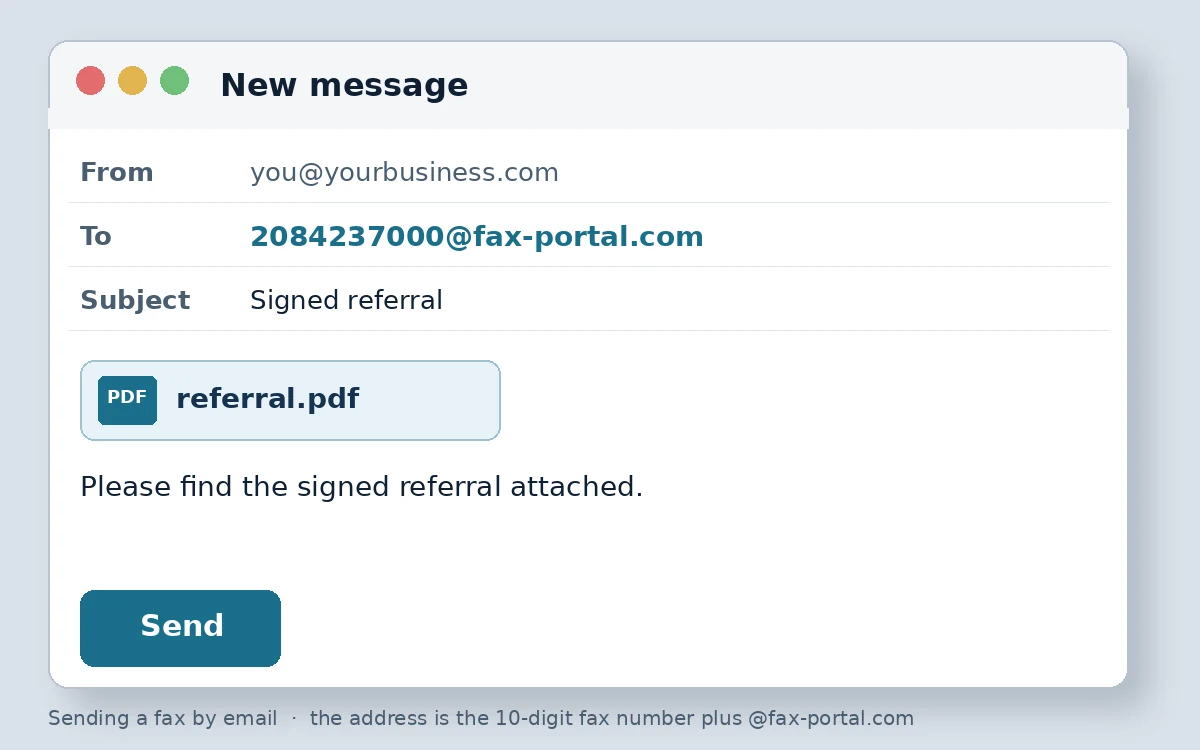
- Send from email. You attach the document to an email and address it to the recipient's 10-digit fax number, followed by the fax service's email domain. With VentureTel, that domain is fax-portal.com. For example, a fax to 208-423-7000 is sent to 2084237000@fax-portal.com. Our support guide Sending an eFax walks through that step.
- Send from an app. You can also send from VentureTel.app: open Faxes, choose Send New, attach the document, fill in the fields and submit. See How to send a fax using the end user app. VentureTel Messaging also supports eFax, so you can send and receive faxes in the same app you use for business texting, without a fax machine.
Receiving works in the other direction. With VentureTel, you can receive faxes in VentureTel Messaging. Ask our team to set up eFax for your business if it isn't on your account yet. You can still keep a traditional fax machine if that fits how some people in the office work.
Do you still need a fax line?
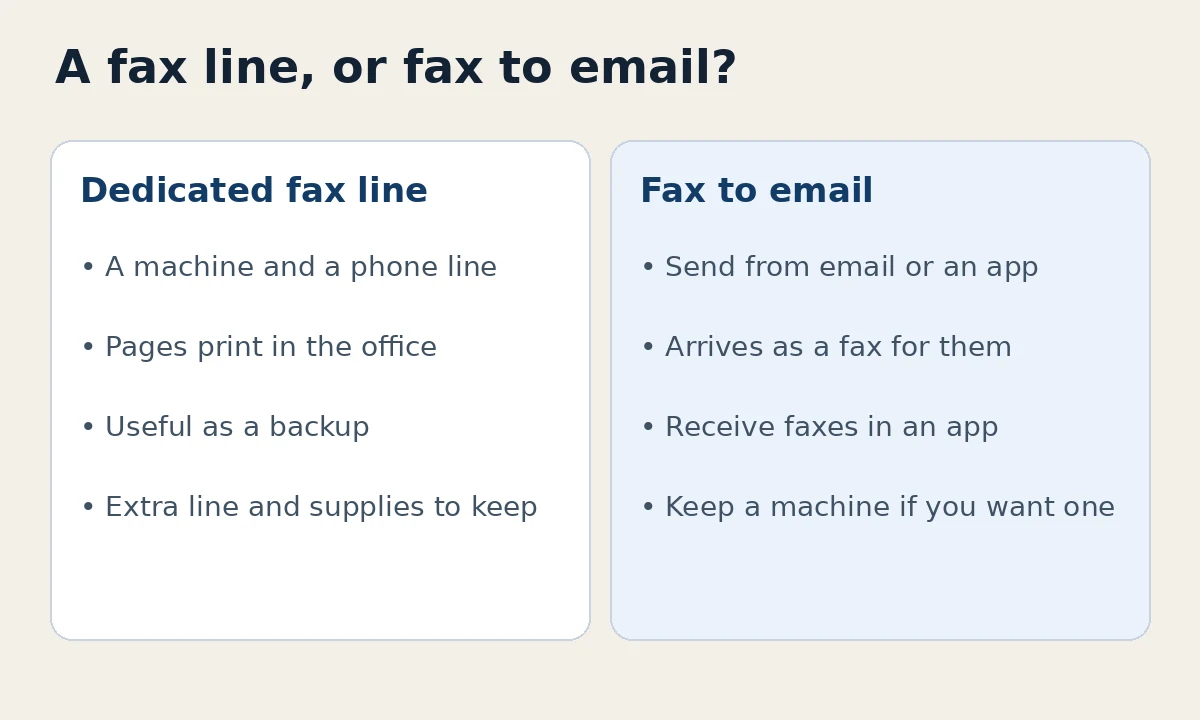
Many offices don't, once fax to email is set up. If you only send or receive a few faxes a week, a dedicated analog line and a machine that jams or runs out of toner is often more trouble than it's worth. Fax to email keeps the ability to reach people who still require a fax, without that extra line.
There are cases where a machine still helps:
- Someone in the office is more comfortable putting a page in a feeder than sending a file.
- A partner's process still assumes you have a machine on a published fax number, and you want that number to ring a device in the office as well as an inbox.
- You are mid-transition and want the machine as a backup while people get used to sending from email or an app.
One caution if you try to keep a traditional machine on a voice-over-internet phone line: faxing from a machine through an analog telephone adapter can be inconsistent, because faxing is sensitive to delays on the connection. Our guide on outbound fax with an ATA covers settings that can help, and it also points to eFax when you want a more reliable path. For most offices, sending from email or the app is the simpler option.
Why law, medical and accounting offices still fax
Email is easier for everyday correspondence, but fax has not disappeared in professional offices. Courts, insurers, labs, pharmacies, lenders and other firms sometimes still ask for a fax. Some offices also treat a fax as a familiar way to send a signed form.
If that describes your office, you don't necessarily have to keep a separate fax line to meet those requests. You do need a published fax number people can send to, and a way for your team to send a document back. Fax to email covers both sides of that. If partners already have your fax number, you can keep it by moving that number to VentureTel, or you can put a new fax number on your letterhead and portal forms.
Handle the documents themselves the way your office already handles other sensitive files. Fax to email is a delivery method. It does not replace your own records process.
A few things to consider before you choose
- How often do you actually fax? Daily volume and a few pages a month lead to different setups.
- Who in the office needs to send or see a fax? An app that more than one person can use is helpful when several people share the work.
- Do you want to keep your current fax number? You can keep an existing fax number by moving it to VentureTel, so partners can keep sending to the number they already have.
- Is a machine still useful as a backup? You can keep one and still send most faxes from email or an app.
How VentureTel can help
VentureTel has served businesses since 2006, and we run our own phone platform. Our fax service, which you'll also see called eFax on our site, lets you send and receive faxes in VentureTel Messaging, send from email to a number at fax-portal.com, or send from VentureTel.app. You can also keep a traditional fax machine when that still fits your workflow. See our features page for how eFax sits alongside calling and business texting.
Our team can set eFax up for your business, and you can keep your existing fax number by moving it to us. Cost depends on the office, especially for larger ones, so we put together a quote rather than a one-size monthly price. There are no long-term contracts. We work with professional offices in Twin Falls, the Magic Valley and the rest of southern Idaho, and with businesses nationwide. Contact our team or call or text 208.735.8999 if you want a quote, or to talk through whether fax to email can replace a fax line in your office.
FAQ
How does fax to email work for a business?
You send a document from email or an app, and it is delivered to the recipient's fax number as a fax. They can receive it on a fax machine or through their own fax service. Incoming faxes can be received in an app, so you don't have to keep a machine running just to accept pages.
Do I still need a fax line if I have fax to email?
Often, no. If you can send and receive on a published fax number through email or an app, a dedicated analog line is optional. Some offices keep a machine as a backup or for people who prefer a feeder. Others retire the line once the office is comfortable sending from email or the app.
How do I send a fax with VentureTel?
You can attach a document to an email and send it to the recipient's 10-digit fax number followed by @fax-portal.com, or send from VentureTel.app under Faxes, or use eFax in VentureTel Messaging. Our guides on sending an eFax and sending from the end user app have the step-by-step instructions.
Is fax to email the same as eFax or online fax?
Those names are commonly used for the same idea: sending and receiving faxes as documents over the internet, instead of only through a machine on an analog line. On VentureTel's site, this service is called eFax.
Can I keep my existing fax number?
Yes. You can keep your current fax number by moving it to VentureTel, so the people who already fax you do not have to change the number they use.
Can I keep a fax machine if I use VentureTel?
Yes. You can send and receive faxes in VentureTel Messaging, and you can keep a traditional fax machine when that still fits your workflow. If you connect a machine through an analog telephone adapter, faxing can be inconsistent, so most offices prefer email or the app for sending.