VoIP Installation Services in Hailey: What Local Businesses Should Look for Before Choosing a Provider
April 7, 2026
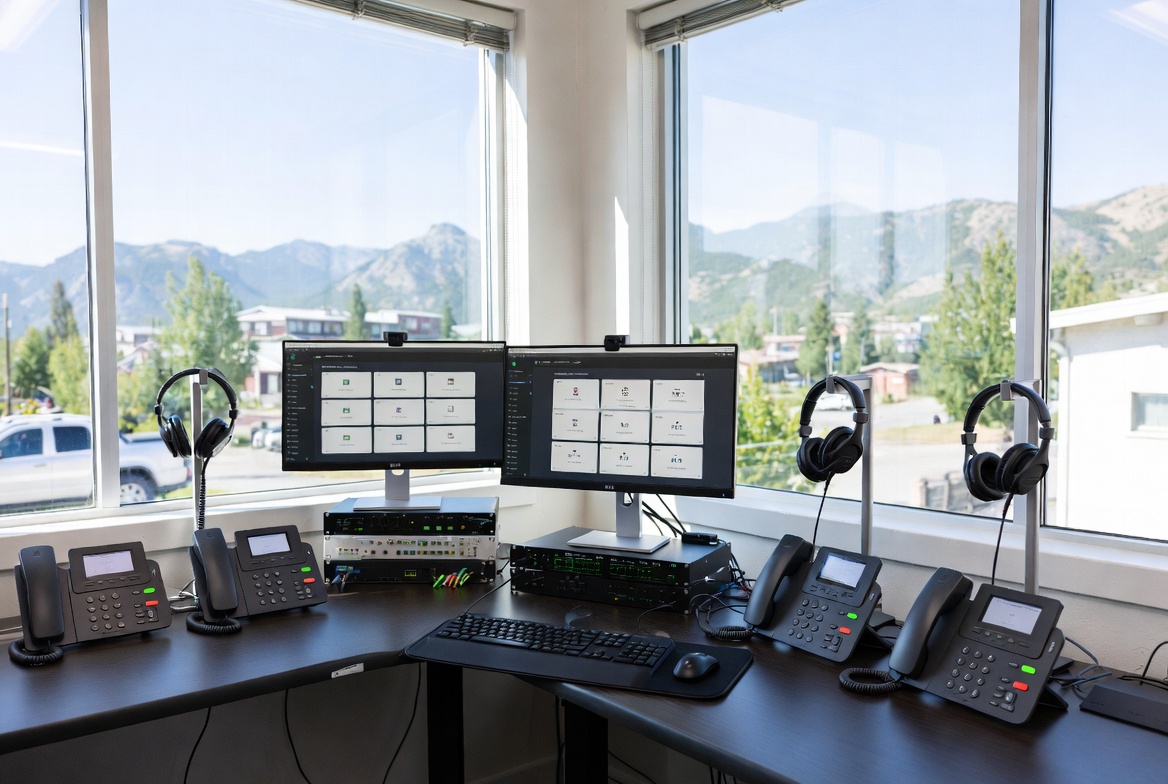
If you're actively comparing VoIP installation services in Hailey, you're probably not just shopping for phone lines—you’re evaluating uptime, call quality, setup support, employee adoption, and whether the provider can actually help your business operate more smoothly after the install is done.
For most businesses in Hailey, the right VoIP system is not the cheapest one on paper. It’s the one that gets deployed correctly, fits how your team actually works, and keeps calls flowing without turning setup into an IT project that drags on for weeks. If you’re looking for a local-ready solution with practical onboarding and business-grade support, VentureTel’s Hailey business VoIP service page is the best place to start when comparing options.
This guide is built for buyers evaluating providers—not casual researchers. We’ll cover what a good installation actually includes, what affects voip installation services in hailey pricing, what setup should realistically look like, the voip installation services in hailey features that matter most, and the mistakes that cause expensive rework.
Who VoIP Installation Services in Hailey Are Best For
Not every business needs the same type of deployment. The best voip installation services in hailey provider for a two-person office is not necessarily the right fit for a medical clinic, contractor, property manager, retail store, or multi-location business.
VoIP installation is usually the right move for:
- Growing small businesses that have outgrown cell phones or a basic landline setup
- Medical and professional offices that need reliable call routing, voicemail handling, and business-hours logic
- Home service businesses that need ring groups, mobile app calling, and better call accountability
- Retail and hospitality teams that need front-desk coverage, hold routing, and overflow handling
- Remote or hybrid teams that need a consistent business caller ID across desk phones and mobile devices
- Multi-location organizations that want one system instead of separate phone setups at each site
In practical terms, if missed calls cost revenue—or if staff are wasting time manually transferring calls, checking multiple voicemails, or juggling personal phones—professional installation usually pays for itself faster than most buyers expect.
If your business is in or around Hailey and you want a solution aligned to local business needs rather than a generic national signup flow, review the options on VentureTel’s Hailey VoIP page and compare based on deployment support, not just monthly seat cost.
What “VoIP Installation Services in Hailey” Should Actually Include
One of the biggest buyer mistakes is assuming “installation” just means shipping phones and turning the service on. Good voip installation services in hailey setup should include much more than account activation.
A complete business-grade installation should typically include:
- Discovery and needs assessment (call flow, users, departments, hours, failover rules)
- Porting review for existing business numbers
- Internet and network readiness check to reduce jitter, packet loss, and poor audio
- Phone and endpoint provisioning for desk phones, cordless devices, conference phones, or softphones
- Auto attendant and call routing configuration
- Ring groups, hunt groups, voicemail, and after-hours setup
- Mobile and desktop app deployment for hybrid teams
- E911 and location configuration where applicable
- Testing before go-live, including inbound, outbound, transfer, voicemail, and failover scenarios
- End-user training so staff can actually use the system on day one
That last point matters more than many buyers realize. A technically “installed” system can still fail operationally if receptionists, managers, or field staff don’t know how to transfer calls, monitor voicemail-to-email, use the mobile app, or handle after-hours routing.
VoIP Installation Services in Hailey Pricing: What Actually Changes the Cost
Buyers searching for voip installation services in hailey pricing often expect a flat number. In reality, pricing depends on the number of users, the complexity of the call flow, whether number porting is involved, the devices you need, and how much implementation support the provider includes.
Here are the main pricing factors that matter:
1) Number of Users and Extensions
A 5-user office with a simple main line and basic voicemail setup is far less complex than a 20-user business with multiple departments, shared call handling, and role-based routing.
2) Device Requirements
Do you need desk phones, cordless handsets, conference room phones, or just mobile/desktop apps? Hardware changes both upfront cost and rollout complexity.
3) Number Porting and Carrier Coordination
Keeping your existing numbers is often essential, but porting adds timeline dependencies and requires clean documentation. If the provider handles this well, it reduces risk during cutover.
4) Network Readiness or On-Site Complexity
Older networking gear, unmanaged switches, weak Wi-Fi, or poor ISP reliability can create issues. Some deployments need QoS tuning, VLAN planning, or router changes to ensure consistent voice quality.
5) Call Flow Complexity
A simple setup may only need a main greeting and voicemail. A more advanced setup may include:
- Multi-level auto attendants
- Department routing
- Time-of-day rules
- Holiday schedules
- Overflow routing
- Simultaneous ring
- Emergency failover to mobile devices
6) Training and Post-Go-Live Support
Some providers quote low and then leave training or reconfiguration as billable follow-up work. Others build real onboarding into the install. Buyers should always ask what is included in implementation versus what becomes a support ticket later.
The best way to evaluate voip installation services in hailey pricing is not “What’s your cheapest monthly plan?” It’s:
- What is included in onboarding?
- What is billed separately?
- Who handles number porting?
- Who builds the call flow?
- How many rounds of changes are included?
- What happens if the first configuration needs adjustment after go-live?
If you want pricing in context—based on your office size, phones, and call flow—the most useful next step is a direct review through the Hailey service page rather than comparing stripped-down advertised seat prices that exclude real implementation work.
What to Expect From a Proper VoIP Installation Setup in Hailey
A realistic voip installation services in hailey setup should feel organized, not improvised. Buyers should expect a structured process with clear milestones.
A practical rollout often looks like this:
- Initial consultation: Review current phone issues, business hours, departments, users, remote staff, and growth plans.
- System design: Build the call flow, extension map, voicemail routing, and device plan.
- Porting and provisioning: Prepare existing numbers, configure devices, and stage user accounts.
- Testing phase: Confirm inbound/outbound calling, transfers, voicemail, hunt groups, mobile apps, and failover.
- Go-live cutover: Transition service with minimal disruption and validate business-critical paths.
- Training and refinement: Make practical adjustments after real-world use reveals minor improvements.
For example, a local office might initially think they need a simple receptionist menu. After testing, they may realize they also need:
- After-hours routing to an on-call manager
- Separate voicemail boxes for sales vs. support
- Simultaneous ring to desk and mobile app for front desk backup
- Holiday schedule exceptions
- Voicemail-to-email for ownership visibility
That is why experienced implementation matters. A strong provider anticipates these real-world needs before they become missed calls and frustrated staff.
VoIP Installation Services in Hailey Features That Matter Most
When evaluating voip installation services in hailey features, avoid being distracted by long feature lists. Most providers advertise dozens of features. What matters is whether the features are configured in a way that actually improves operations.
Here are the features that usually create the most value for local businesses:
Auto Attendants That Don’t Frustrate Callers
A simple, well-designed menu beats a complicated IVR every time. Buyers should look for a provider that helps script and structure call routing, not just turns the feature on.
Ring Groups and Hunt Groups
These help ensure inbound calls get answered by the right team without depending on one person being available at all times.
Voicemail-to-Email and Unified Messaging
This is especially useful for owners, managers, and teams that need visibility when away from the office.
Mobile and Desktop Apps
If your staff work remotely, travel between jobs, or answer calls outside the office, app reliability matters. The best systems keep the business identity consistent across devices.
Business Hours and Holiday Routing
This sounds basic, but it’s one of the highest-impact features when set up correctly. It prevents after-hours confusion and protects the customer experience.
Call Recording and Reporting
For training, accountability, and customer service quality, this can be a major operational advantage—especially in service businesses or offices where missed details can cost revenue.
Call Forwarding and Failover
If internet issues or weather disruptions affect a location, a properly configured failover path can keep calls reaching your team.
Scalability
The best voip installation services in hailey provider should make it easy to add users, devices, and locations without rebuilding the entire system.
If you’re comparing feature sets, the better question is not “Does it have this feature?” It’s “Will this provider configure it correctly for how our business actually answers calls?” VentureTel’s Hailey VoIP solutions are strongest when buyers want that practical, implementation-first approach.
Common Mistakes Businesses Make When Comparing VoIP Providers
Many businesses end up replacing their “new” phone system sooner than they expected because they bought based on price alone or assumed all VoIP setups are basically the same.
Here are the most common mistakes to avoid:
Choosing Based on Seat Price Alone
A lower monthly rate can look attractive until you realize onboarding, training, porting help, or configuration changes are all extra—or largely DIY.
Ignoring Network Readiness
Even the best hosted phone platform can perform poorly on a weak network. A provider that asks about bandwidth, routers, switches, and Wi-Fi is usually doing their job.
Underestimating Number Porting
Porting delays can impact business continuity if not managed correctly. Ask who owns the process and what documentation is needed up front.
Overcomplicating the Call Flow
Too many menu options, unnecessary submenus, or poorly designed routing frustrate callers and increase abandoned calls.
Skipping Staff Training
Even a strong system underperforms if the front desk, office manager, or field staff don’t know how to use the tools they’ve been given.
Not Planning for Growth
If you expect to add locations, remote users, or departments, choose a provider that can scale without forcing a platform migration later.
Why VentureTel Is a Strong Fit for VoIP Installation Services in Hailey
Businesses looking for voip installation services in hailey typically need more than a generic hosted PBX vendor. They need a provider that understands how local businesses actually operate and can translate that into a phone system that works from day one.
VentureTel stands out because the focus is not just on selling lines—it’s on delivering a practical business communications system that fits the way your team handles calls, schedules, customers, and growth.
Why that matters:
- Implementation-first approach: Setup is treated as a real deployment, not a self-service activation.
- Business-oriented call flow design: Routing is built around real customer journeys and staff responsibilities.
- Support for modern work styles: Desk phones, mobile apps, and remote-friendly workflows can be aligned under one business identity.
- Scalable for growth: Add users, departments, or locations without reinventing the system.
- Local-service relevance: The offering is positioned for businesses that want a provider relationship—not just a software login.
In real buying terms, that means fewer missed calls during transition, less internal confusion during onboarding, and a better chance that your staff actually use the system the way it was intended.
For example, a small service business in Hailey may need:
- One published main number
- Office-hours routing to dispatch or reception
- After-hours escalation to an on-call mobile device
- Voicemail-to-email for management
- Simple expansion when adding another admin or field coordinator
That’s not a complicated enterprise telecom project—but it still needs to be designed correctly. That’s exactly where a provider with real installation discipline adds value.
Questions Buyers Should Ask Before Hiring a VoIP Installation Services in Hailey Provider
If you’re comparing any voip installation services in hailey provider, use these questions to separate true implementation partners from basic resellers:
- What exactly is included in installation and onboarding?
- Who designs the call flow and how many revisions are included?
- Do you handle number porting from start to finish?
- How do you test the system before cutover?
- What happens if we need changes after go-live?
- Do you help with desk phones, mobile apps, or both?
- What network or internet issues do you evaluate before deployment?
- How do you support remote workers or multi-location growth?
- How is after-hours, failover, or emergency routing configured?
- Who do we contact when something needs to be adjusted later?
These questions lead to better buying decisions than simply asking for a monthly quote.
Final Take: Choose a Provider That Can Install the System You Actually Need
The best voip installation services in hailey are not just about phones. They’re about building a communications workflow your team can rely on every day.
If you’re comparing providers, focus on the total implementation experience: planning, porting, setup quality, training, support, and how well the provider understands your actual call handling needs. That’s what determines whether the system becomes a business asset or another tool your team works around.
If you want a practical, buyer-focused next step, visit VentureTel’s Hailey business VoIP page to review service options, compare fit for your business, and get guidance on the right setup for your team.
Ready to Compare VoIP Installation Services in Hailey?
If your business is evaluating phone system upgrades, don’t settle for a provider that only sells licenses and leaves the hard parts to you. Work with a team that can help you plan the right call flow, manage setup cleanly, and support your business after go-live.
Explore VentureTel’s VoIP services in Hailey and request a conversation about the right installation approach for your business.