
What can VentureTel Messaging do for a small business? A tour of the shared inbox, iPhone app and missed-call text-back
October 27, 2026
By the VentureTel team · Facts current as of October 2026 · About VentureTel
Short answer: VentureTel Messaging lets your team send and receive texts and picture messages from your business phone number in one shared inbox, on the web and in an iPhone and iPad app. Teammates can assign conversations, leave internal notes, and get alerts so texts don't sit unanswered, and missed-call text-back can automatically text callers you couldn't pick up. VentureTel sets it up and supports it from southern Idaho.
We introduced VentureTel Messaging as a standalone business texting app back in March. Since then it has picked up an iPhone and iPad app, missed-call text-back and a lot of team features. Here's a plain-English tour of what it does today and how a small business gets started.
What is VentureTel Messaging?
It's a business texting app for teams. Customers text your business number, and the conversation shows up in a shared inbox that everyone you choose can see. You reply from the same number, so customers never get an employee's personal cell number, and the history stays with the business when someone is out sick or moves on.
You don't have to switch phone providers to use it. VentureTel can text-enable your existing business number even if your calls stay with your current provider, or you can use it on a VentureTel phone system or a texting-only VentureTel number. We check your number first and walk you through the options.
How does the shared inbox work?
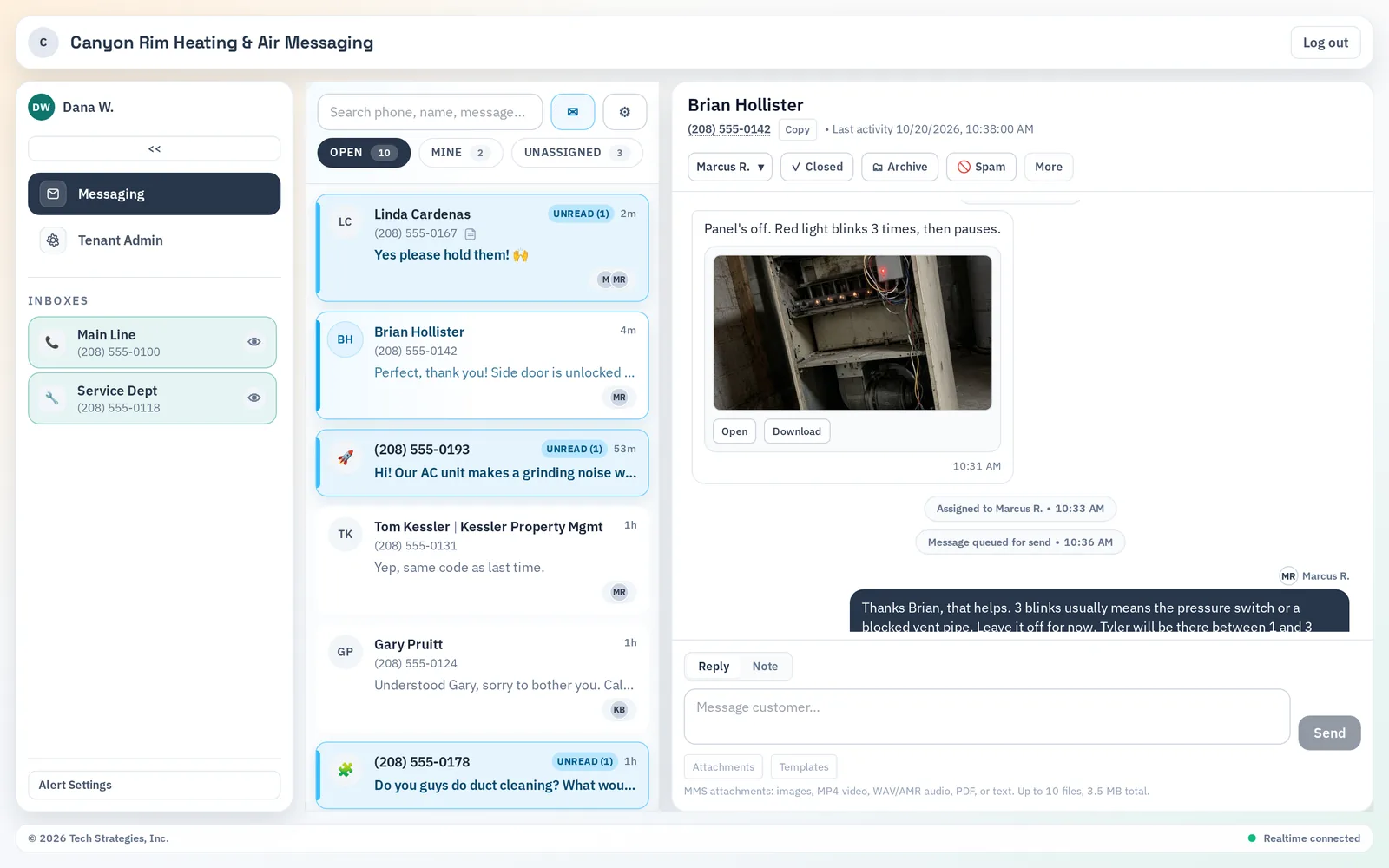
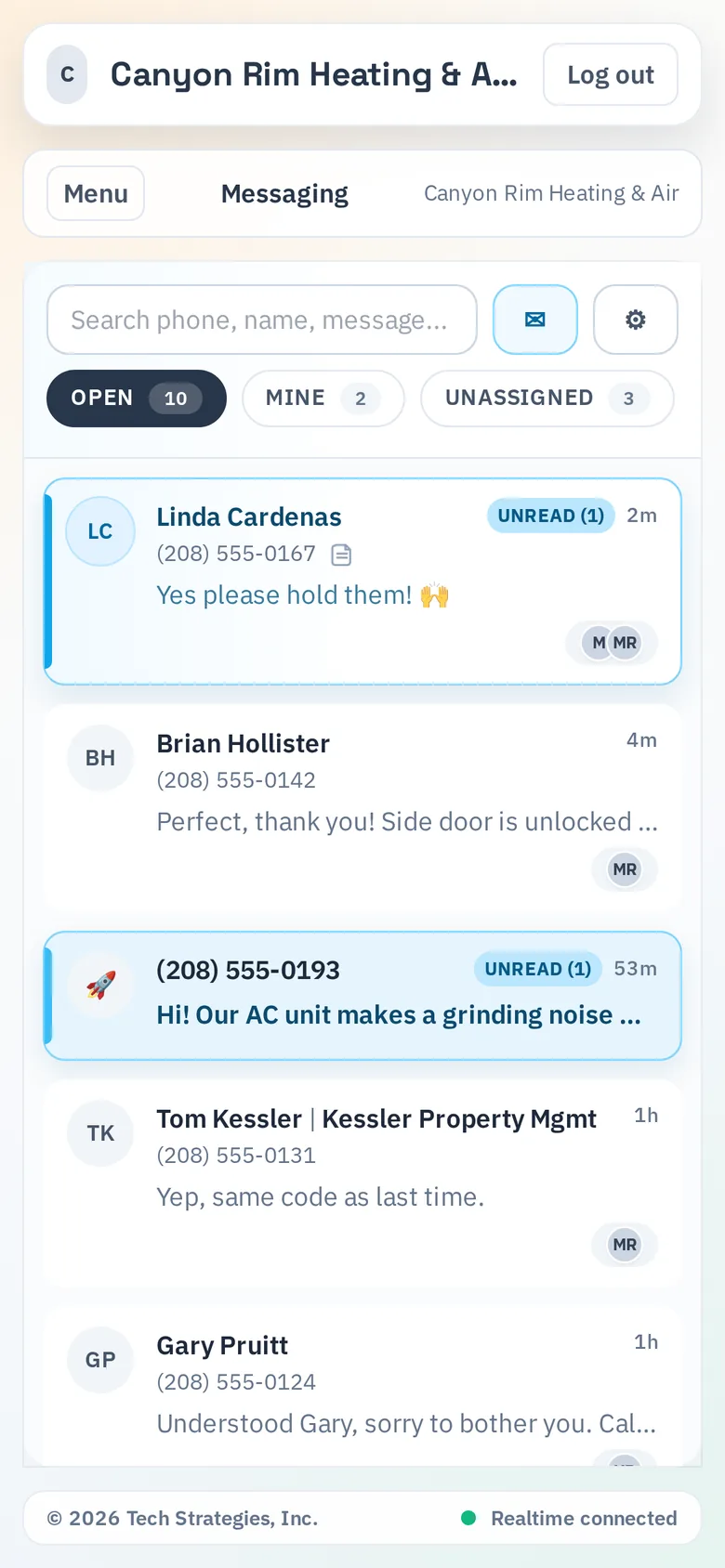
Each business number is its own inbox, and you can have several (for example a main line and a service department line) in one workspace. Conversations are sorted into views such as Open, Mine and Unassigned, so it's easy to see what still needs a reply. You can search by phone number, contact name or message text across your full history, and save a customer's name once so the whole team sees it. The screenshot at the top of this post shows the desktop view: two business numbers on the left, open conversations in the middle, and a customer's photo in the open thread (sample data from a fictional Twin Falls HVAC company).
How can a whole team answer texts without stepping on each other?
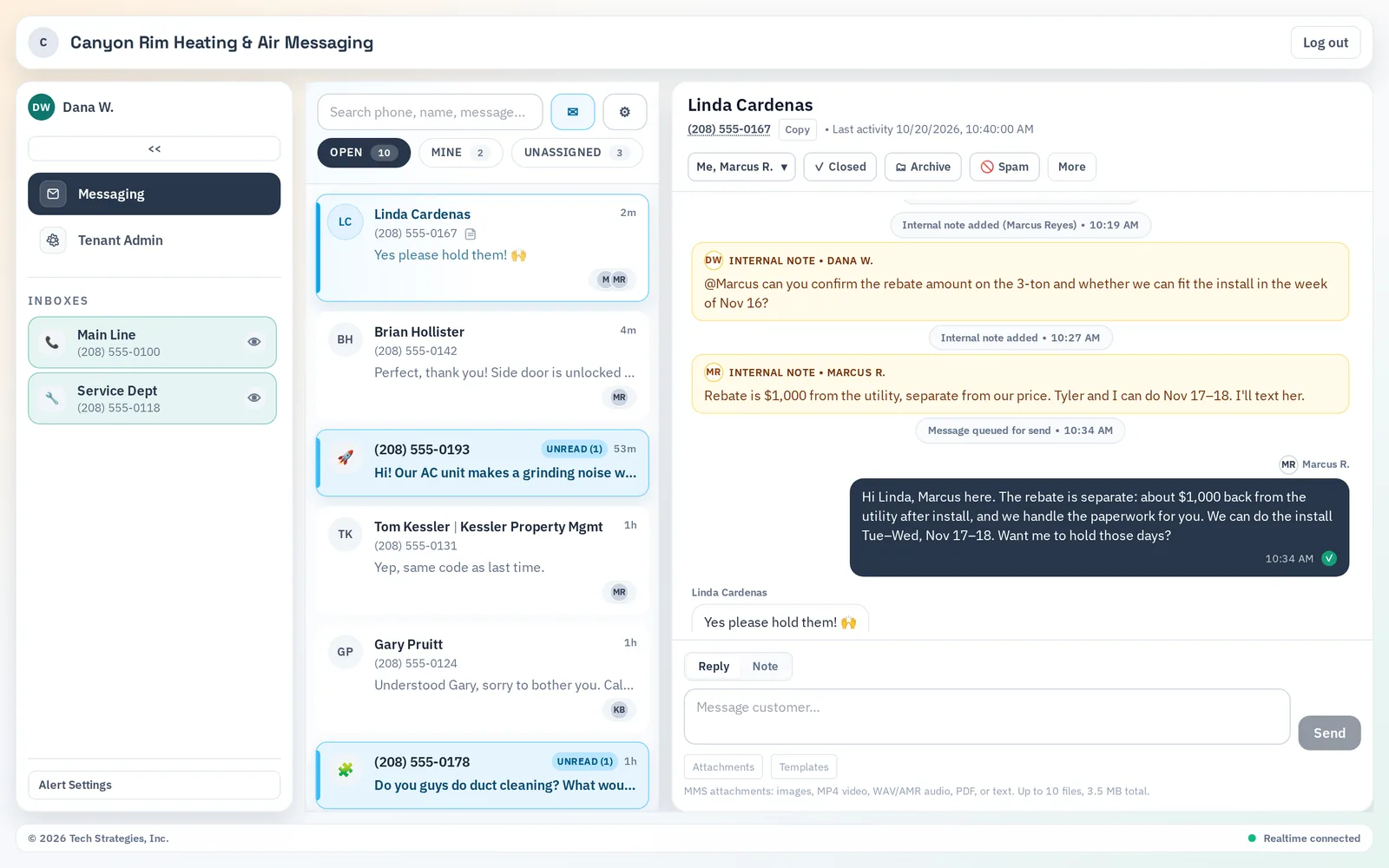
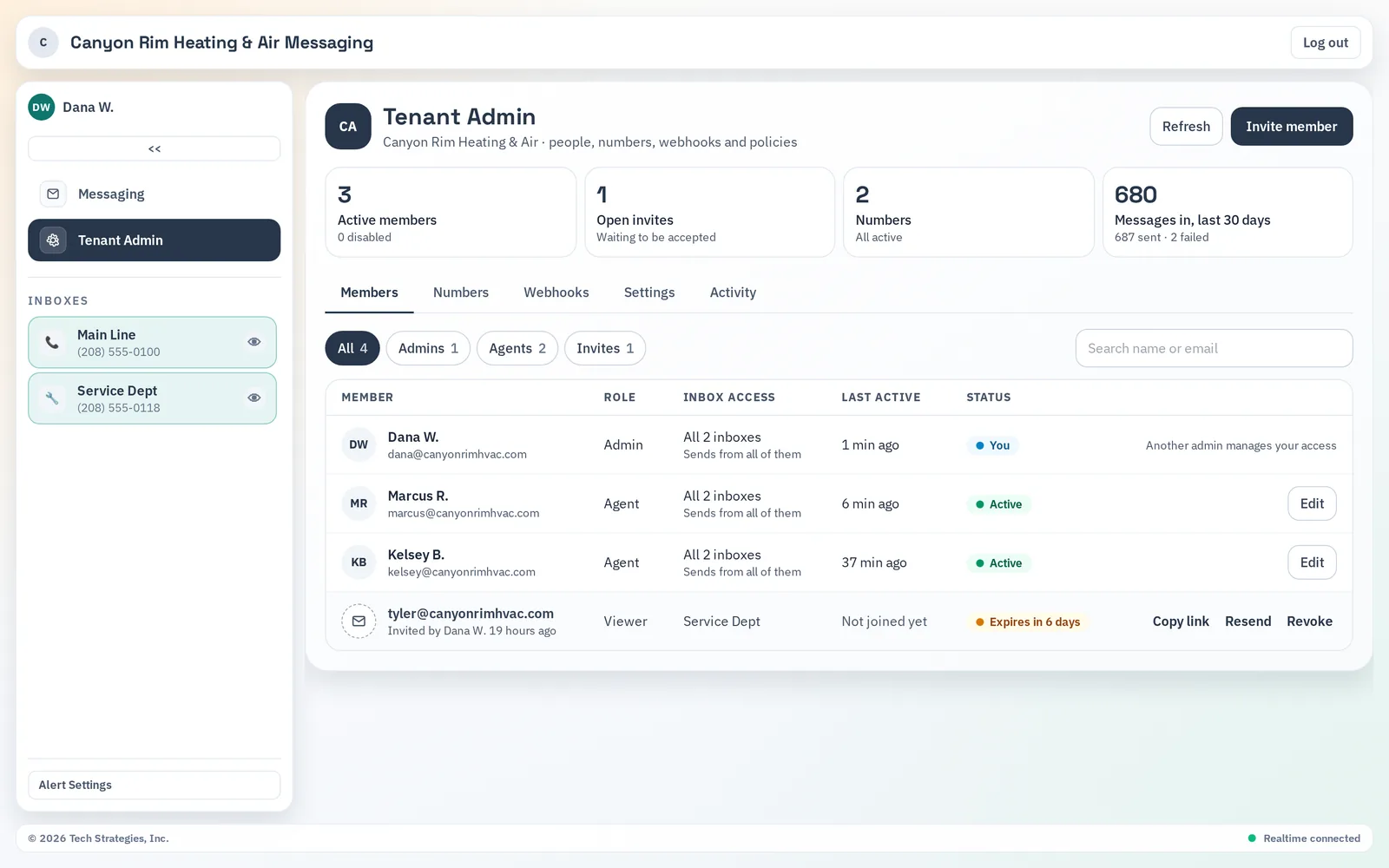
Every conversation can be assigned to one or more teammates, and you can reassign it when coverage changes. Internal notes sit right in the thread, but customers never see them. Type an @mention in a note to pull a coworker in. If someone only needs one conversation, assigning or mentioning them gives them access to that conversation alone, not the whole inbox.
Can customers send pictures and files?
Yes. VentureTel Messaging handles picture messages (MMS) both ways. A message can carry up to 10 attachments, up to 3.5 MB total: JPEG, PNG, GIF and BMP images, MP4 video, common audio files, PDFs and plain text. On a desktop you can drag and drop files into a reply. That's handy when a customer wants to show you a leaking water heater or a cracked windshield instead of describing it.
Is there an iPhone app?
Yes. VentureTel Messaging is on the Apple App Store for iPhone and iPad (it's one listing for both). You sign in with your email and password, your Microsoft account or Sign in with Apple, and you see the same inboxes, assignments and notes as the desktop. Push notifications can tell you about new messages and mentions. You can also download it from our texting page.
The web app also works in a phone's browser, which is useful for a quick reply from a borrowed device.
What is missed-call text-back?
When a call to your business goes unanswered, missed-call text-back can automatically send the caller a text from your business texting number, something like "Sorry we missed your call! Reply here by text and we'll get right back to you." Their reply lands in the shared inbox, so nobody has to play phone tag. It's built in for the VentureTel phone system, and it can also work with another phone provider if that system can send a webhook when a call is missed. New rules start in test mode, so you can check everything before customers receive texts. See how it works on our texting page.
How do alerts keep texts from sitting unanswered?
Each person picks their own alerts: browser and mobile push notifications for new messages and @mentions, a sound for new messages, and an optional email when a text has gone unread for a while. The email delay is 15 minutes by default, and you can set it anywhere from 1 to 1,440 minutes in the web app.
How are opt-outs and spam handled?
STOP and START replies are handled automatically. The first automated text to a number (like a missed-call text) adds "Reply STOP to opt out." If someone has opted out, texts to that number won't send, and your admin can see the opt-out list. Your team can also mark spam and block senders, and VentureTel keeps a zero-tolerance policy on spam texting.
One important note: VentureTel Messaging is not HIPAA compliant, so don't text protected health information (PHI). It works well for scheduling, directions, quick questions and other everyday business texting.
How does setup work?
Each business gets its own invite-only workspace. VentureTel sets up your numbers and handles carrier registration for business texting (called 10DLC), which every business texting number needs before it can send. You'll need your business's EIN, and sole proprietors aren't supported right now. Registration usually takes 3 to 5 business days. Once you're live, your admin invites teammates and chooses each person's role and which inboxes they can see and send from.
For pricing, see our pricing page or ask us for a quote. If you're comparing shared texting inboxes from other providers, our comparison pages cover RingCentral and Nextiva.
Why do southern Idaho businesses use it?
A lot of Magic Valley businesses already text customers, just from someone's personal phone. That works until the person with the phone is on a job site in Jerome, out for the day, or no longer with the company. In the Wood River Valley, seasonal rushes in Hailey and Ketchum mean a front desk can't always get to the phone. A shared inbox on the business number fixes both problems. And when you need help, you reach a southern Idaho VentureTel team that has served businesses since 2006, with service areas in Twin Falls, Boise and Hailey.
Frequently asked questions
Can I keep my current business number?
Yes. VentureTel can text-enable your existing business number, even if your calls stay with your current phone provider. You can also move your calls to VentureTel or start with a texting-only VentureTel number.
Is there an app for iPhone and iPad?
Yes. VentureTel Messaging is a free download on the Apple App Store for iPhone and iPad, in one listing (an active VentureTel Messaging account is required). You sign in with email and password, Microsoft or Apple.
Can more than one person answer the same business number?
Yes. Everyone with access to an inbox sees the same conversations. You can assign conversations to one or more teammates, leave internal notes customers never see, and @mention a coworker.
Is VentureTel Messaging HIPAA compliant?
No. VentureTel Messaging is not HIPAA compliant, so don't use it to send protected health information (PHI).
Do I need to register my number before texting customers?
Yes. Carriers require business texting numbers to be registered (10DLC), and unregistered numbers can't send. VentureTel files the registration for you during setup. You'll need your business's EIN.
More answers are on our FAQ page.
Want to see it with your own numbers?
Text or call us at 208.735.8999, or book a quick review and we'll walk through setup, your numbers and pricing.