
What is a cloud phone system, and does a small office need one?
November 17, 2026
By the VentureTel team · November 2026
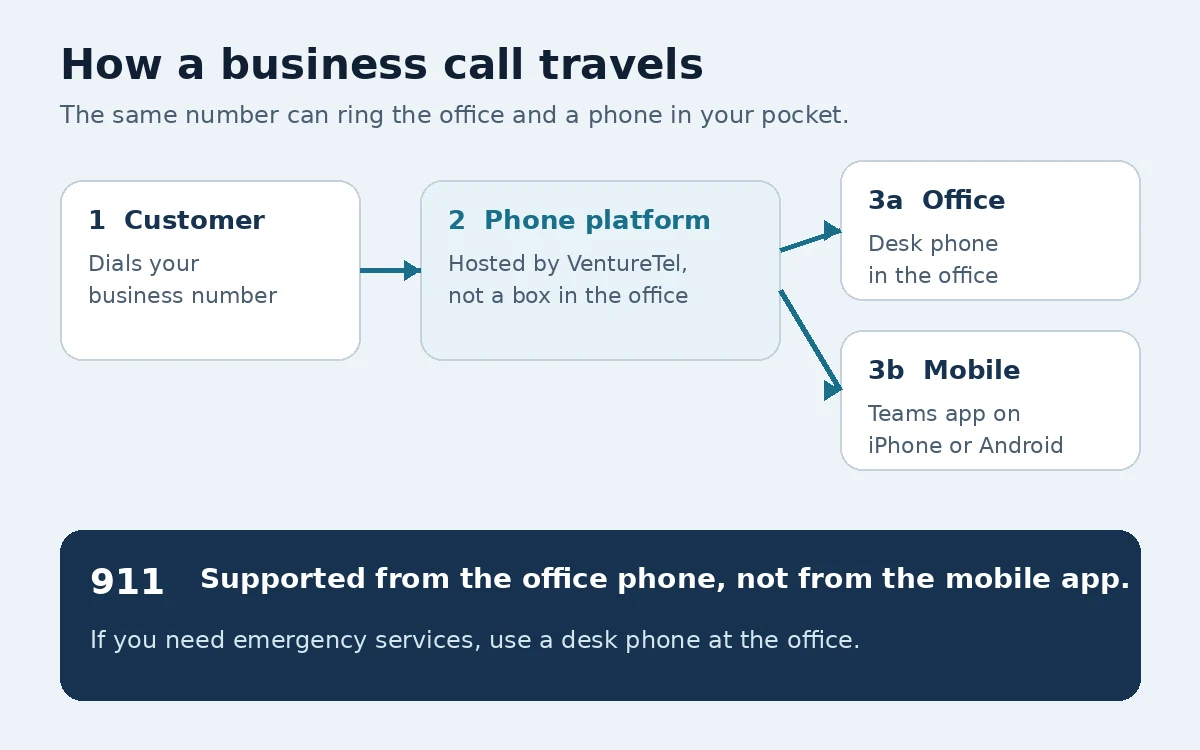
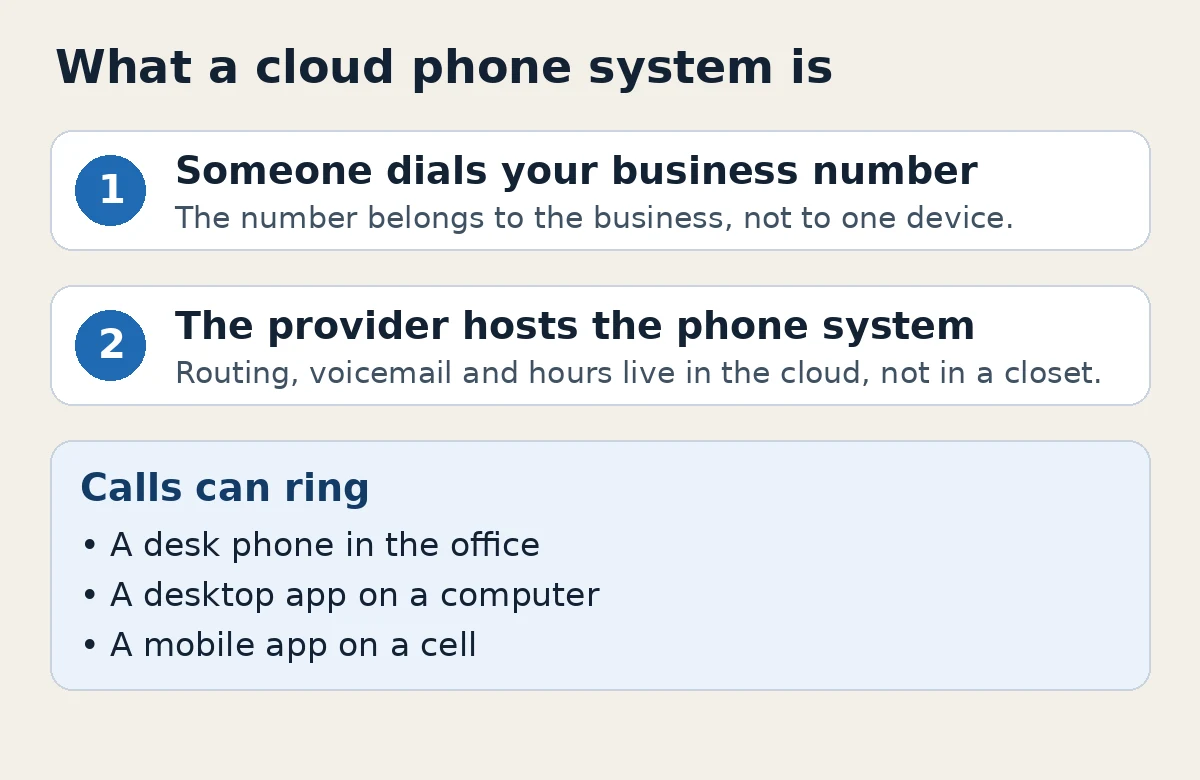
A cloud phone system is a business phone system that runs over the internet, instead of on a box in your office. Calls still ring a desk phone, a computer app or a phone in your pocket. The difference is that the switching, voicemail and call routing live on your provider's platform, which they maintain. People also call this a hosted PBX or business VoIP. The names overlap; they all describe phone service delivered over the internet rather than through a traditional on-site system.
That answers the first question. The second is more practical: does a small office need one? It depends on how you take calls today, how many people need to answer, and whether you want features like an auto attendant, after-hours routing or business texting without maintaining phone equipment yourself.
What is a cloud phone system?
In a traditional setup, a physical phone system, often called a PBX, sits in the office. Desk phones plug into it, and a technician usually has to visit when you add a user or change a call flow. A cloud phone system moves that role to a hosted platform. Your office needs a reliable internet connection, then your phones and apps register to the service.
With a cloud system you can usually:
- Give each person an extension, and optionally a direct number.
- Ring desk phones, desktop apps and mobile devices from the same business number.
- Set office hours, after-hours greetings and menus for callers.
- Add or remove users without installing a new phone cabinet.
- Use the same system at more than one location, or when someone is working away from the office.
You still need someone to plan the call flow and keep it current. The change is that you are not also responsible for owning and updating the core phone equipment.
How is it different from a traditional office phone system?
The most visible difference is where the system lives. A traditional PBX is on site. A cloud phone system is hosted by the provider. That leads to a few practical tradeoffs worth weighing.
- Setup and changes. Adding a user or changing after-hours routing is usually done in software, by you or by the provider's team. You are less likely to need a truck roll for a simple change.
- Internet and power. Cloud calling depends on your internet connection and, for desk phones, on power at the office. A backup connection or a plan for how calls should be handled if the office internet is down is worth talking through before you rely on the system.
- Features. Voicemail to email, time-of-day routing, auto attendants, business texting and apps on a cell are common on cloud systems. Some traditional systems can do parts of this, often with extra hardware or add-on services.
- Support. With a hosted system, you are choosing a provider as much as a product. Ask who you will actually reach when something breaks, and whether they can help on site.
Does a small office need a cloud phone system?
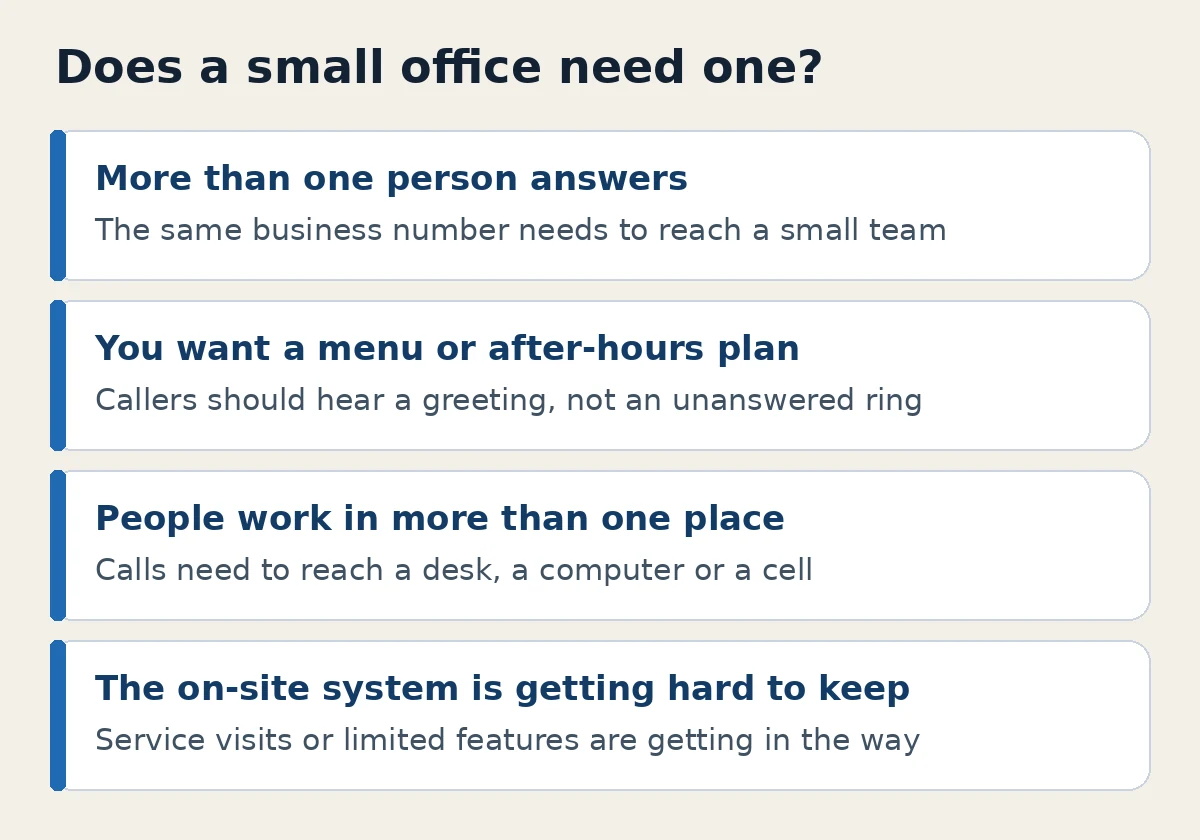
Not every small office does. If one person takes every call on a cell and that is working, a full business system may be more than you need right now. A cloud phone system starts to make more sense when any of these sound familiar:
- More than one person needs to answer the same business number.
- You want a professional greeting or a short menu, instead of a phone that rings until someone picks up.
- Calls should follow office hours, then go to voicemail or an after-hours message.
- People work from more than one place, or need to take a business call on a cell without giving out a personal number.
- You are still maintaining an aging on-site system, and service visits or limited features are getting in the way.
A one-person shop can use a cloud system too, especially if they want a business number that stays with the business, voicemail to email, or texting from that number. The point is to match the system to how you work, not to adopt one because the term is familiar.
What to look for if you compare systems
Once you decide a cloud phone system is worth a look, the features matter less than whether they fit a small office day to day.
- Call handling. Auto attendants, ring groups, hold, transfer, and time-of-day routing cover most small-office needs.
- How people answer. Desk phones, a desktop app and a mobile app should work together, so a call can follow the person who needs to take it.
- Voicemail you can actually use. Voicemail to email and transcription mean you can read a message between tasks, then listen if you need to.
- Texting and fax, if you still use them. Many offices want to text from the business number, and some still need to send and receive faxes. Ask whether those are part of the same service.
- Pricing you can explain. Ask what a user costs, what a number costs, and what is included. VentureTel is $25 per user per month and $3 per month for each phone number, with unlimited US and Canada calling and managed support included. Details are on our pricing page.
- The contract and the support. Read the terms. Ask who sets the system up, who you call later, and whether help is available on site if you need it.
Our features page lists how VentureTel handles these pieces, including auto attendants, voicemail transcription, business texting, eFax, call routing to cell phones and Microsoft Teams voice.
How VentureTel can help
VentureTel is a fully managed cloud business phone system, also called a hosted PBX. We have served businesses since 2006, we run our own phone platform, and our team sets up calling, routing, voicemail, texting and eFax with you. People can answer from desk phones, desktop apps and mobile devices, including business calls in the Microsoft Teams app on iPhone and Android, over Wi-Fi or cellular data. Teams calling needs a Microsoft Teams Phone license for each person who uses it.
There are no long-term contracts, and we offer a 45-day money-back guarantee. We work with one-person shops as well as growing teams, with hands-on support in Twin Falls, the Magic Valley and the rest of southern Idaho, and service for businesses nationwide. See features and pricing for the details, then contact our team or call or text 208.735.8999 if you want help comparing a cloud system with what you use today.
FAQ
What is a cloud phone system?
It is a business phone system that runs over the internet instead of on a PBX in your office. Your business number can ring desk phones, computer apps and mobile devices, while the provider hosts and maintains the system that routes the calls.
Is a cloud phone system the same as VoIP or a hosted PBX?
In everyday use, yes, people often use those terms for the same idea. VoIP describes calls carried over the internet. A hosted PBX is a business phone system the provider hosts for you. A cloud phone system is another name for that hosted setup.
Does a small office need a cloud phone system?
Not always. If one person can handle every call on a single phone, you may not need one yet. A cloud system is worth considering once several people share a number, you want office-hours routing or a caller menu, staff work in more than one place, or an on-site system is getting hard to maintain.
Do I need special phones for a cloud phone system?
You can use desk phones built for internet calling, and you can also take calls on a desktop or mobile app. With VentureTel, desk phones come with the service, and users can also answer in the Microsoft Teams app on iPhone and Android, over Wi-Fi or cellular data, when they have a Teams Phone license.
What happens if the office internet goes down?
Cloud calling needs an internet connection at the place where a desk phone or computer is being used. That is why it helps to consider a backup connection, and to ask how calls should be handled if the office internet is down. With VentureTel, you can take business calls in the Microsoft Teams app on iPhone and Android over cellular data.
Can I call 911 from the mobile app?
911 is supported from the office location, not from the mobile app. If you need emergency services, use an office phone.