
What to look for in a phone system for a dental office
November 12, 2026
By the VentureTel team · November 2026
The front desk at a dental office is often doing three things at once: checking in a patient, answering a second line, and transferring a caller to a provider who has a few minutes between chairs. After hours, people still call about appointments, billing and urgent concerns, and those calls need a clear path. A general business line can cover some of that. A phone system for a dental office is usually judged on whether the front desk can keep up.
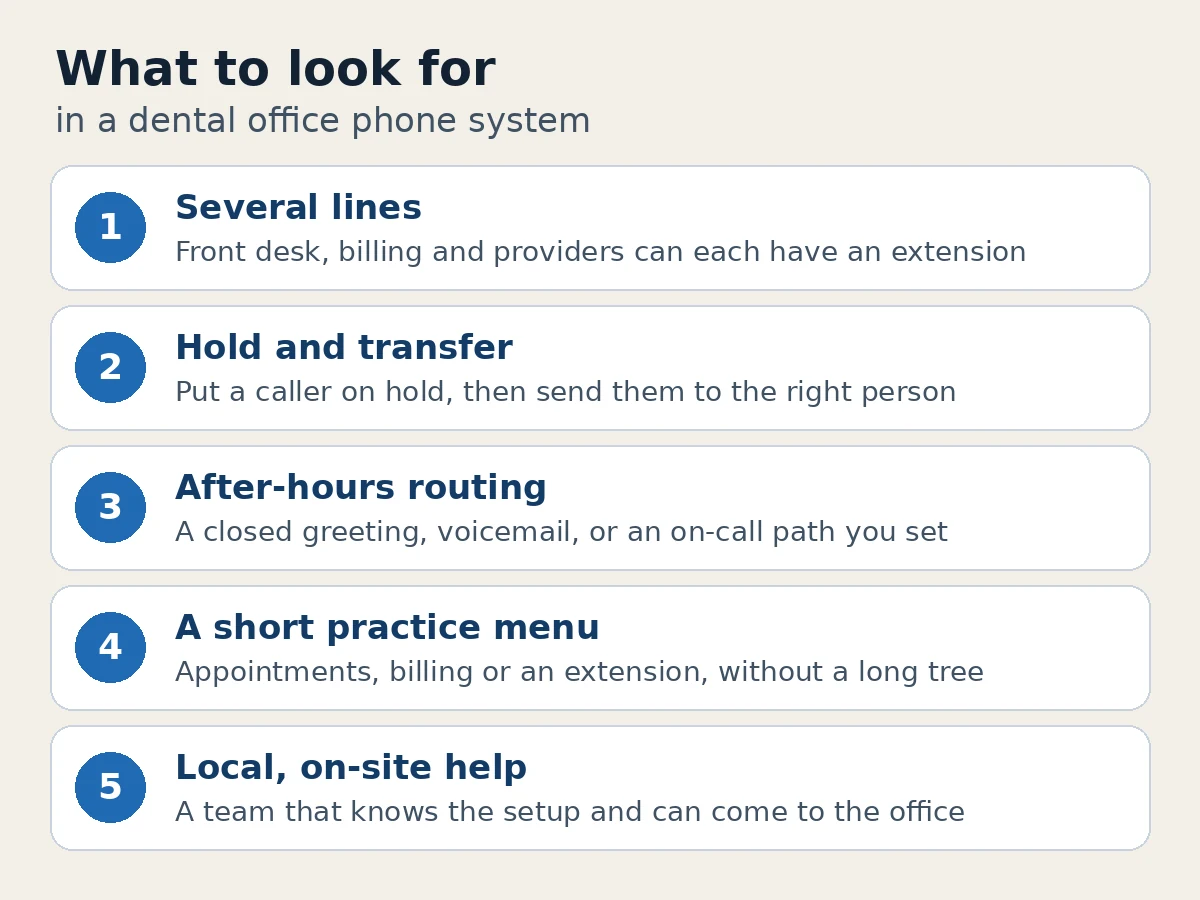
When you're choosing a phone system for a dental office, it helps to look for several lines the front desk can handle at once, simple hold and transfer, after-hours routing you control, and a local team that can help on site. This guide walks through those points, with southern Idaho practices in mind, from Twin Falls, Jerome and Mini-Cassia to the Wood River Valley and Boise.
Several lines, without the front desk losing track
Most practices need more than one call at a time. One line might be on a confirmation call, another is a new patient, and a third is a specialist's office returning a message. A multi-line system gives each person an extension, optional direct numbers, and a way to share the main office number so it rings the right group.
Things to consider:
- Can more than one person answer the main number at the same time?
- Can you give the front desk, billing and providers their own extensions?
- Can a call follow a person from a desk phone to an app on a cell, without handing patients a personal number?
VentureTel is a cloud-based multi-line business phone system. It can support multiple users, direct numbers, extensions, departments and shared call routing, and people can answer from a desk phone, a desktop app or a mobile device. See our features page for how that fits together.
Hold and transfer the front desk will actually use
Patients get frustrated when a transfer drops them or they sit on hold with no idea what happens next. The features themselves are simple. What matters is whether the front desk can use them without thinking about it.
Look for a system that lets someone put a caller on hold, transfer a call to an extension, and see whether a provider or teammate is already on the phone before they send the call over. VentureTel includes hold, transfer and presence, so the front desk can check who is available before handing a caller off. If a call needs to be picked up from another phone, call park is also an option.
After-hours routing patients can follow
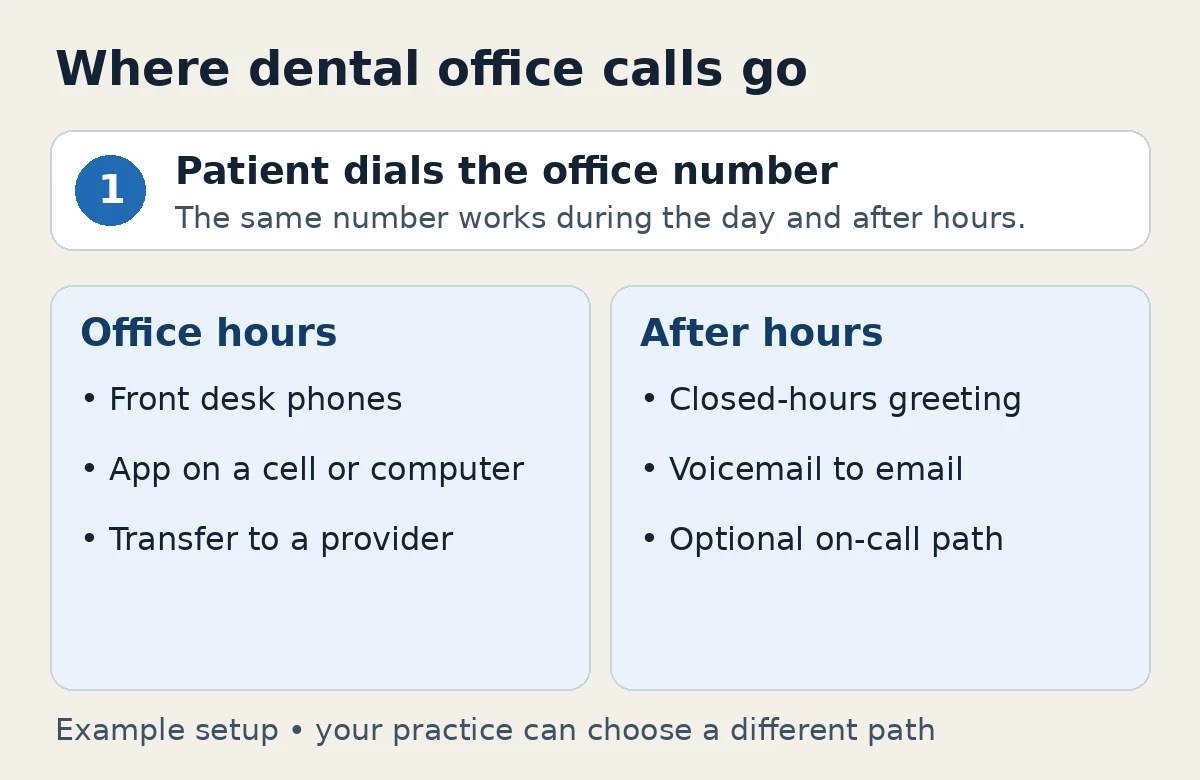
Dental offices rarely take every call in the evening, but patients still dial the office number. A time-of-day schedule can ring the front desk during office hours, then play a closed-hours greeting, send the caller to voicemail, or route urgent calls to an on-call number you choose.
It also helps if voicemail can arrive by email and as a transcription, so the first person in the next morning can read messages instead of dialing into a mailbox. Holiday hours are worth setting in advance, so callers hear the right message on days you're closed. Our support guide on setting up a holiday call flow walks through that in VentureTel.
A greeting and menu that sound like your practice
An auto attendant, the menu callers hear when they first dial, can take pressure off the front desk at busy times. A simple tree might offer appointments, billing, or a way to reach a specific extension. Keep it short. Callers in a dental office are often in the car or at work, and a long menu makes people hang up and call back.
If you have more than one location, the same idea can route callers to the right office. Multi-location routing is one of the features on our features page.
A light role for texting from the office number
Many patients would rather text a quick scheduling question than wait on hold. Business texting lets the front desk send and receive those messages from the office number, on a desktop or a phone, instead of from someone's personal cell. A shared inbox helps when more than one person covers the desk.
Texting works well for appointment reminders, running-late messages and other front-desk logistics. It isn't a replacement for the phone, and it isn't the right place for every kind of message. If you want to see how shared business texting works, VentureTel Messaging is our texting app.
Local help, including on-site help in southern Idaho
A phone system is only as useful as the support behind it. When the front desk can't transfer a call or the after-hours greeting is wrong, practices usually want to reach someone who already knows the setup, and who can come on site if the problem is in the office.
VentureTel has served businesses in southern Idaho since 2006, and we run our own phone platform. We go on site in Twin Falls, Jerome and Mini-Cassia, including Burley and Rupert. We also serve practices in the Wood River Valley — Hailey, Ketchum, Bellevue and Sun Valley — and for most offices in the Boise area, we go on site as well. There isn't a walk-in office; you reach us by phone, text or a support ticket, and we can come to you when that helps. See our Twin Falls and Magic Valley page, and our pages for Hailey and Boise, for how local support works.
A few things to consider before you choose
- How many people need to answer? A one-person office can keep things simple. A busier practice usually needs shared routing, extensions and a clear after-hours plan.
- Who should get the late-day and weekend calls? Decide that before you pick a system, then make sure the system can follow the plan you want.
- Do you want help setting it up? Some services are do-it-yourself. Others set up your menu, ring rules and after-hours greeting with you.
- Is there a contract? Read the terms before you commit, and compare the monthly cost with how much the front desk will actually use the system.
How VentureTel can help
VentureTel has served southern Idaho businesses since 2006, and we run our own phone platform. For a dental office, that means a multi-line system with hold, transfer, auto attendants, time-of-day and after-hours routing, voicemail to email, and optional business texting. Our team sets those pieces up with you, and desk phones come with your VentureTel service.
Pricing is straightforward: $25 per user per month and $3 per month for each phone number, with unlimited US and Canada calling, managed support, no long-term contracts and a 45-day money-back guarantee. See our pricing page for details, and our features page for the full feature list. We work with practices in Twin Falls, Jerome, Mini-Cassia, the Wood River Valley and, for most offices, the Boise area, and with offices nationwide.
Want help matching a phone system to how your front desk works? Contact our team or call or text 208.735.8999. We'll walk through your call flow and what would actually help.
FAQ
What should I look for in a phone system for a dental office?
Look for several lines the front desk can handle at once, easy hold and transfer, after-hours routing you control, a short auto attendant if you want a menu, and support from a team that can help on site. Texting from the office number is useful for appointment questions, but it is a complement to the phones, not a replacement.
Can the front desk put a caller on hold and transfer the call?
Yes, with a business phone system that includes hold and transfer. With VentureTel, the front desk can place a call on hold, transfer it to an extension, and use presence to see who is available before sending the caller over.
What happens to dental office calls after hours?
You choose the path. A common setup plays a closed-hours greeting, takes a voicemail, and emails that message to the office. Some practices also route urgent calls to an on-call number during certain hours. The greeting should say when you reopen and what patients should do if they need help sooner.
Do we need desk phones, or can the front desk use an app?
Either, or both. Many dental offices keep desk phones at the front desk and give providers an app on a cell or computer so they can take a transferred call without a second physical phone. Desk phones come with your VentureTel service, and people can also answer from desktop and mobile apps.
Does VentureTel help dental offices in Twin Falls, the Wood River Valley and Boise?
Yes. VentureTel has served southern Idaho since 2006. We go on site in Twin Falls, Jerome and Mini-Cassia, including Burley and Rupert, and we serve practices in the Wood River Valley, including Hailey, Ketchum, Bellevue and Sun Valley. For most offices in the Boise area, we go on site as well.