
How to get a business phone number without giving out your cell
November 10, 2026
By the VentureTel team · November 2026
It usually starts small. You print your cell number on the first batch of business cards, and before long clients, vendors and a few people you'd rather not hear from at 9pm all have it. For a solo accountant, a contractor, a law office or a small medical practice, that one number ends up carrying both your work and your personal life.
You can get a separate business phone number and still answer on the phone already in your pocket. This guide covers why many owners make the switch, the main options to consider, and the practical steps to set one up without handing out your personal cell.
Why get a business phone number at all?
- Privacy. Your personal number stays with family and friends. Customers reach the business, not you personally.
- After-hours boundaries. A business number can follow office hours: ring you during the day, then go to voicemail or an after-hours message at night.
- The number belongs to the business. When an employee leaves or a role changes, the number customers know stays put. A personal cell walks out the door with its owner.
- A professional caller ID. Customers see a consistent business number when you call, and a local 208 number is familiar to people in southern Idaho.
- Texting from the business number. Customers text businesses. A business texting number keeps those conversations off your personal messages and visible to anyone else who needs them.
Your options for a business number
There isn't one right answer. What fits depends on how many people need the number, whether you text customers, and how much setup you want to do yourself. Here's how the common options compare.
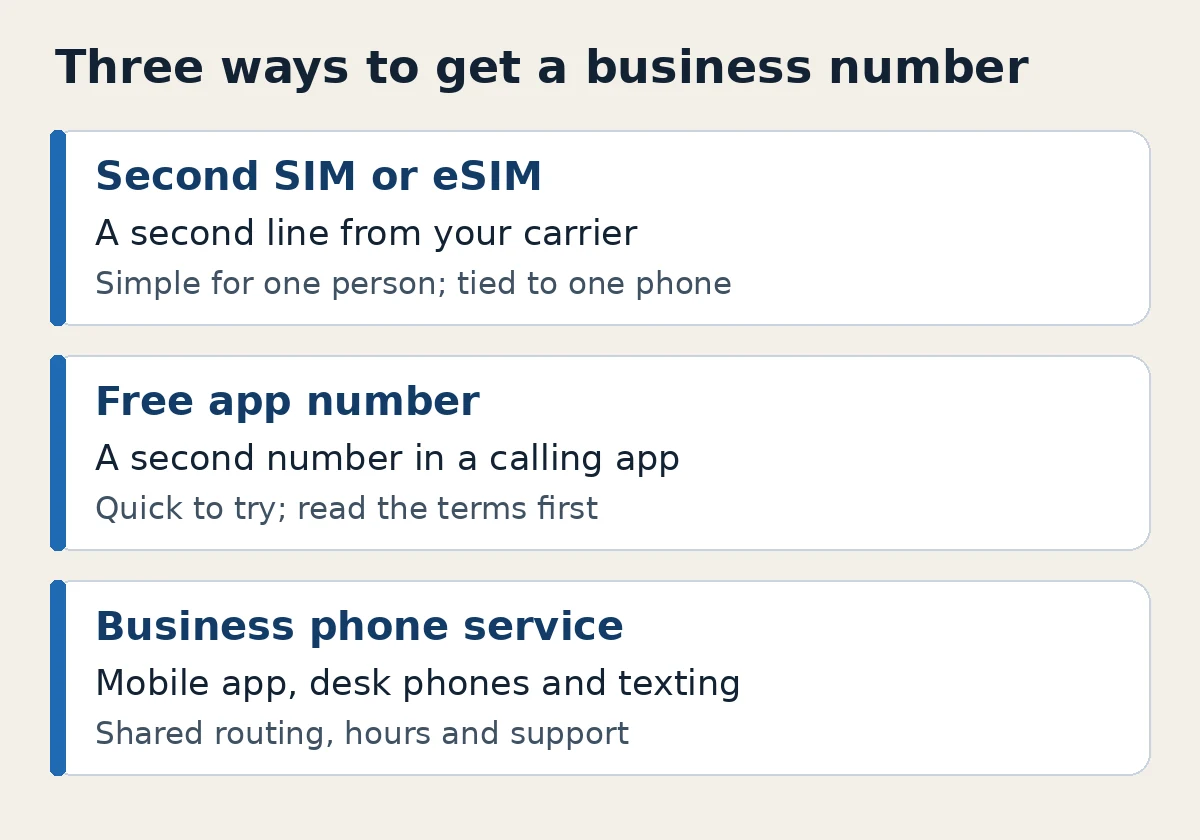
A second line from your carrier (second SIM or eSIM)
Many phones can hold two lines, so your mobile carrier may be able to add a second number to the same phone. It's familiar and simple for one person. The tradeoffs to consider: the number is tied to one phone and one person's plan, it's harder to share with an office manager or a teammate, and features like office-hours routing, an auto attendant or a shared texting inbox are usually limited.
A free app number
Free calling apps can give you a second number in a few minutes, which makes them a reasonable way to test the idea. Before your business depends on one, read the terms. Some free numbers can be reclaimed after a period of inactivity, many are designed for personal use, support is often self-serve, and business texting registration, team access and call routing vary from app to app.
A business phone service with a mobile app
A hosted business phone service gives you a number that isn't tied to any one device. It can ring an app on your cell, a desktop app and a desk phone, and it can follow schedules you set. This is the route most offices take once more than one person answers the phone or once texting matters. It costs more than a free app, so weigh that against the time it saves and the control it gives you.
How to get a business phone number, step by step
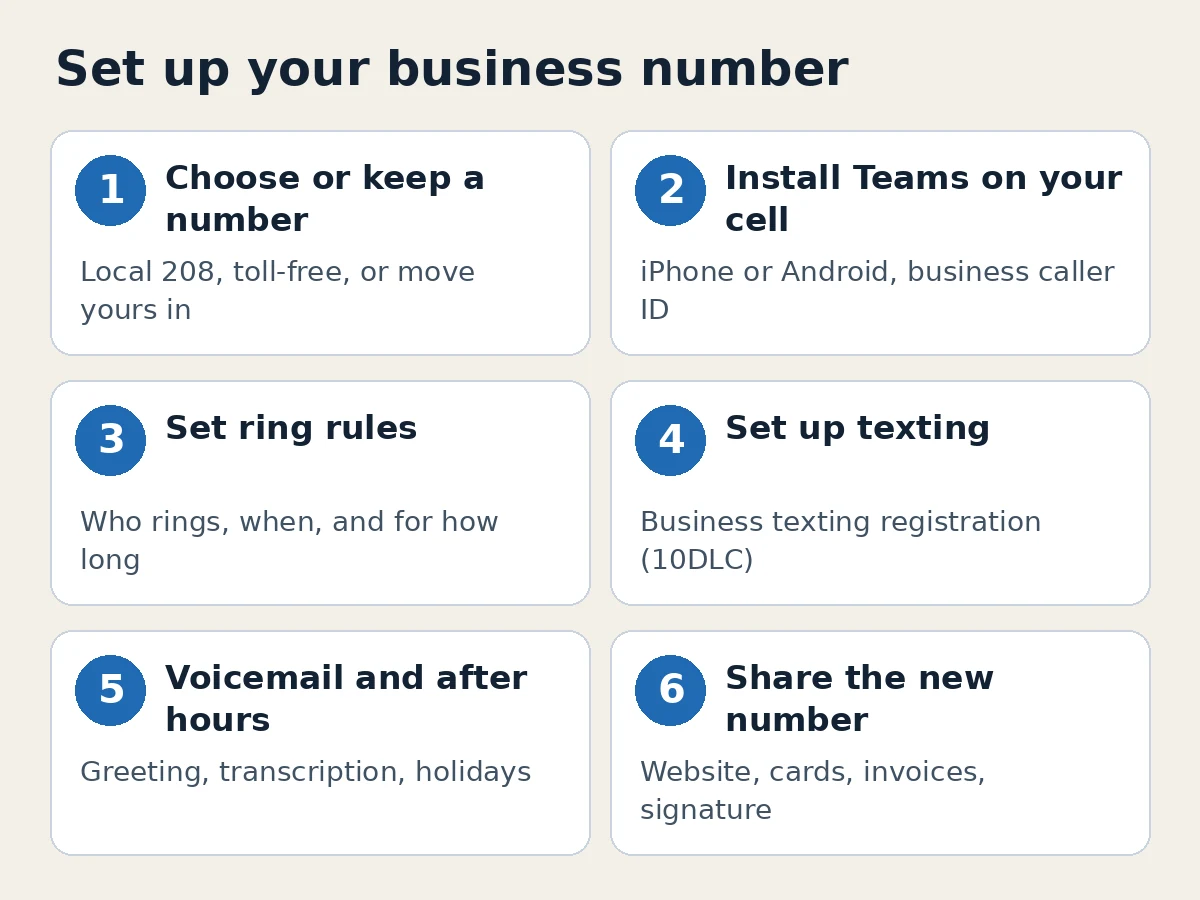
1. Choose a new local number, or keep the one you have
If you're starting fresh, pick a local number with an area code your customers recognize. VentureTel has local 208 numbers available for Twin Falls, Burley, Hailey and Boise. Toll-free numbers are also available if you serve customers across the country.
Already have a business number, perhaps an old landline or a number from another provider? You can usually keep it by moving it to your new service. In most cases that takes about ten business days once the paperwork is complete, and occasionally up to four weeks. Our support guide Can I keep my number? explains what to have ready.
2. Put the business number on your cell with an app
With a business phone service, you install an app on your cell. Business calls ring in the app, and when you call a customer from the app, the call comes from your business number. Your personal number stays out of it.
With VentureTel, that app is Microsoft Teams. You make and take business calls in the Teams app on your iPhone or Android phone, and on your computer, and customers see your business number as the caller ID. Teams calling needs a Microsoft Teams Phone license for each person who uses it. See our features page for how Teams Voice fits with the rest of the phone system.
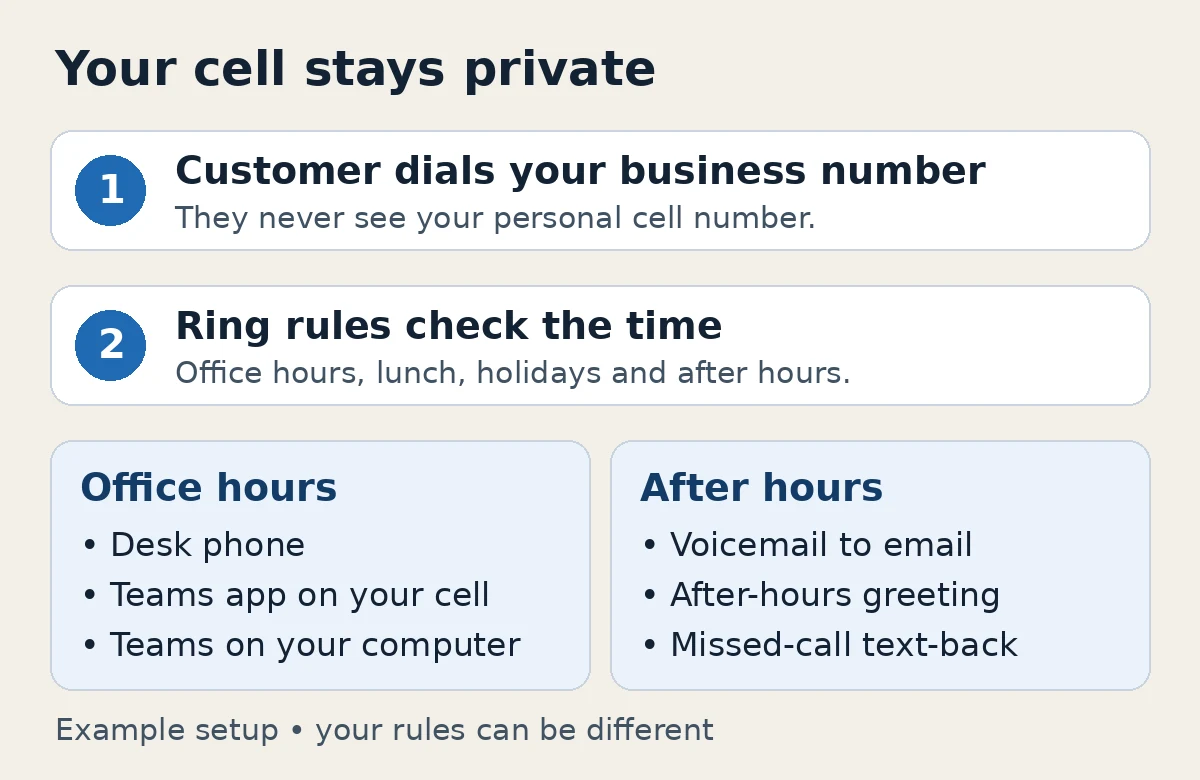
3. Set ring rules that protect your cell
Decide where business calls go and when. Common setups:
- Ring the office desk phone first, then the app on your cell after a few rings.
- Ring your cell during business hours only, then send callers to voicemail or an after-hours message.
- Ring several people at once so whoever is free picks up.
Follow-me routing can also ring your cell's regular number. The caller still dialed your business number, so your personal number isn't shown to them. See Add or edit a cell phone in Follow Me for how that looks in VentureTel.app.
4. Set up texting from the business number
Customers expect to text appointment questions and quick updates. Business texting lets you send and receive those texts from your business number on desktop, mobile and tablet, instead of from your personal phone. Texting from a business number in the US requires business texting registration (often called 10DLC), so plan for a short verification step before messages flow.
If you run a medical, dental or wellness office, keep protected health information out of texts. Standard texting isn't HIPAA compliant; our guide on safe texting guidelines covers what's reasonable to send.
5. Set up voicemail and after-hours handling
Record a greeting that names your business and tells callers when you'll call back. Voicemail transcription and voicemail to email mean you can read messages instead of dialing in. Add holiday hours so callers hear the right message on days you're closed; this KB guide walks through it.
Missed-call text-back can also help: when a call to your business number goes unanswered, the caller automatically gets a text from your business number. Our article What is missed-call text-back? explains how it works.
6. Move people over gradually
Customers who already have your cell number won't switch overnight. Put the business number on your website, email signature, invoices and cards. Reply to business texts on your cell with a short note pointing to the new number. Some owners also forward unanswered cell calls to their office voicemail; see forwarding missed cell calls to office voicemail.
A few things to consider before you choose
- Who needs to answer? One person can get by with almost any option. Two or more people usually benefit from shared routing and a shared texting inbox.
- How often do you call customers back? If you call out a lot, make sure calls from your app show the business number, not your cell. If a business number shows a spam warning on customers' phones, see why business numbers get marked as spam.
- Do you want help setting it up? Some services are do-it-yourself. Others set up your routing, voicemail and texting for you.
- Is there a contract? Read the terms before you commit, and compare the total monthly cost with how much the number matters to your business.
How VentureTel can help
VentureTel has served businesses since 2006, and we run our own phone platform. With VentureTel, you make and take business calls in the Teams app on your iPhone or Android phone, with your business number as the caller ID, so you never have to give out your personal number. Business texting through VentureTel Messaging lets you text customers from the business number on desktop, mobile and tablet. Our team sets up your number, ring rules, voicemail and after-hours handling with you, whether you're a one-person office or a growing team.
Pricing is straightforward: $25 per user per month and $3 per month for each phone number, with unlimited US and Canada calling, managed support, no long-term contracts and a 45-day money-back guarantee. See our pricing page for details. We work with one-person shops as well as growing offices, with hands-on support in Twin Falls, the Magic Valley and the rest of southern Idaho, and service for businesses nationwide.
Ready to stop handing out your cell? Contact our team or call or text 208.735.8999. We'll help you work out which setup fits how you work.
FAQ
Can I get a business phone number without buying a desk phone?
Yes. With a business phone service, your business number can ring an app on your cell and on your computer. With VentureTel, that's the Microsoft Teams app on iPhone, Android and desktop. You can add desk phones later if your office wants them.
What is a virtual phone number for business?
It's a business number that isn't tied to one physical phone line or device. Calls to it can ring apps, desk phones or cell phones based on rules you set, and many services also let you text from it.
Will customers see my personal cell number?
Not when they call your business number or when you call and text them from your business apps. With VentureTel, calls you place from the Teams app show your business number as the caller ID. If you call a customer from your phone's regular dialer, they'll see your personal number, so use the app for business calls.
Can I keep the business number I already have?
Usually, yes. Moving an existing number to a new service typically takes about ten business days once the paperwork is complete, and occasionally up to four weeks.
Can I text customers from my business number?
Yes, with a business texting service. In the US, texting from a business number requires business texting registration (10DLC). VentureTel Messaging handles that onboarding and lets you text from your business number on desktop, mobile and tablet.